
LC and SC identify the mechanical interface at the end of an optical fiber. Start with the equipment port, then specify the fiber, endface polish, cable construction and acceptance tests. Choosing the smaller connector alone does not establish a faster or lower-loss link.
LC vs SC: What Actually Changes?
| Selection point | LC connector | SC connector |
|---|---|---|
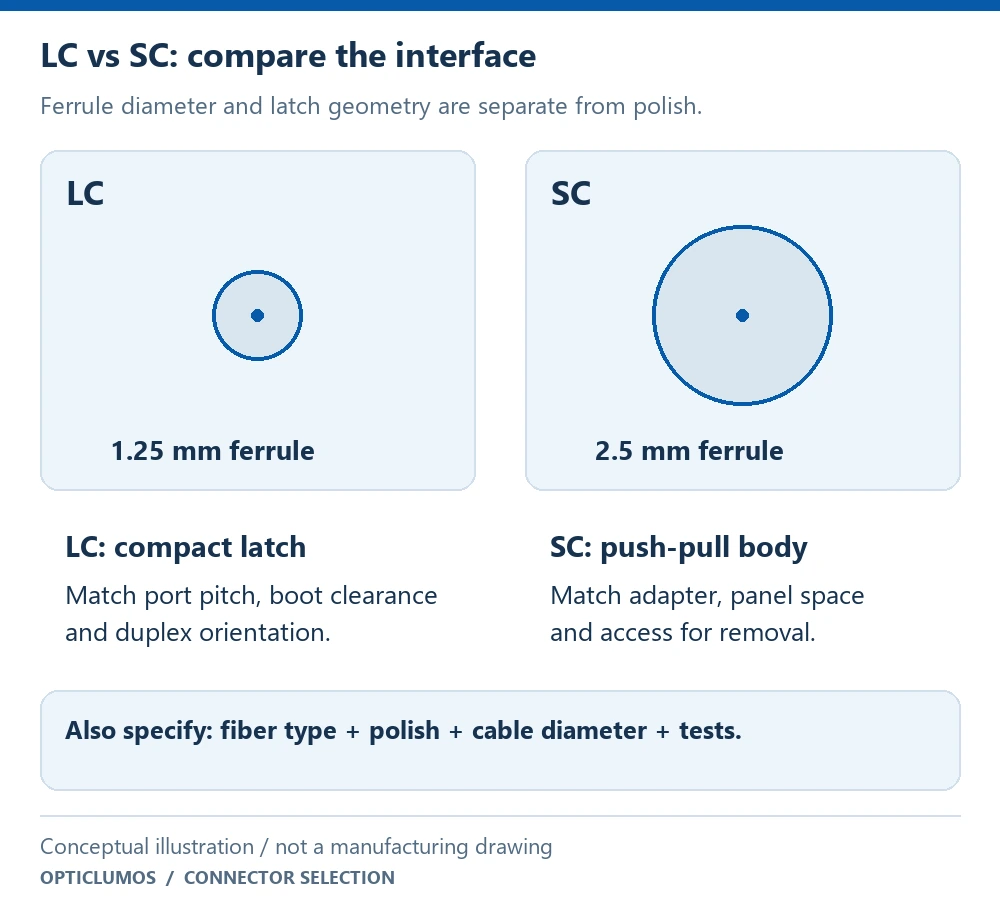
| Ferrule diameter | 1.25 mm | 2.5 mm |
| Coupling mechanism | Compact latch | Push-pull housing |
| Space planning | Check latch access, port pitch and duplex boot clearance | Allow room for the larger body and push-pull operation |
| Optical specification | Fiber grade, polish, IL and RL must be stated | The same optical decisions must be stated |
| Duplex arrangement | Two plugs may be grouped by a suitable LC duplex clip | Two plugs may be grouped by a suitable SC duplex clip |
| Direct compatibility | Requires an LC-compatible mating interface | Requires an SC-compatible mating interface |
Fluke Networks describes the different ferrule sizes and mechanical formats in its connector identification guide. These are interface characteristics; an assembled cable still needs its own optical test limits.
How to Choose LC or SC for a Real Installation
Read the two equipment interfaces
Record the connector family and required polish for port A and port B. Also check whether each port is simplex or duplex. A connector that fits the adapter mechanically can still be optically incompatible.
Confirm fiber and wavelength
Write the single-mode or multimode fiber grade and the operating wavelength from the equipment specification. LC and SC are available in different optical configurations; the connector family does not select the fiber grade for you.
Check the installation envelope
Measure the cable route, service loop, boot clearance and access needed to release the connector. On a crowded panel, a connector that can be inserted but cannot be released without disturbing adjacent channels creates a maintenance problem.
Specify the completed assembly
Define cable outside diameter, jacket, length tolerance, labels and duplex orientation. If buying connector components for local termination, specify ferrule bore, fiber dimensions, assembly process and polishing requirements instead of assuming a connector kit is a tested patch cord.
For an LC-to-LC duplex connection, match the adapter and equipment port, then decide whether you need two LC plugs and a compatible duplex clip or a finished duplex patch cord. Check the A/B position convention against the link drawing. View LC connector, clip and mating-adapter details.
Can You Connect LC to SC?
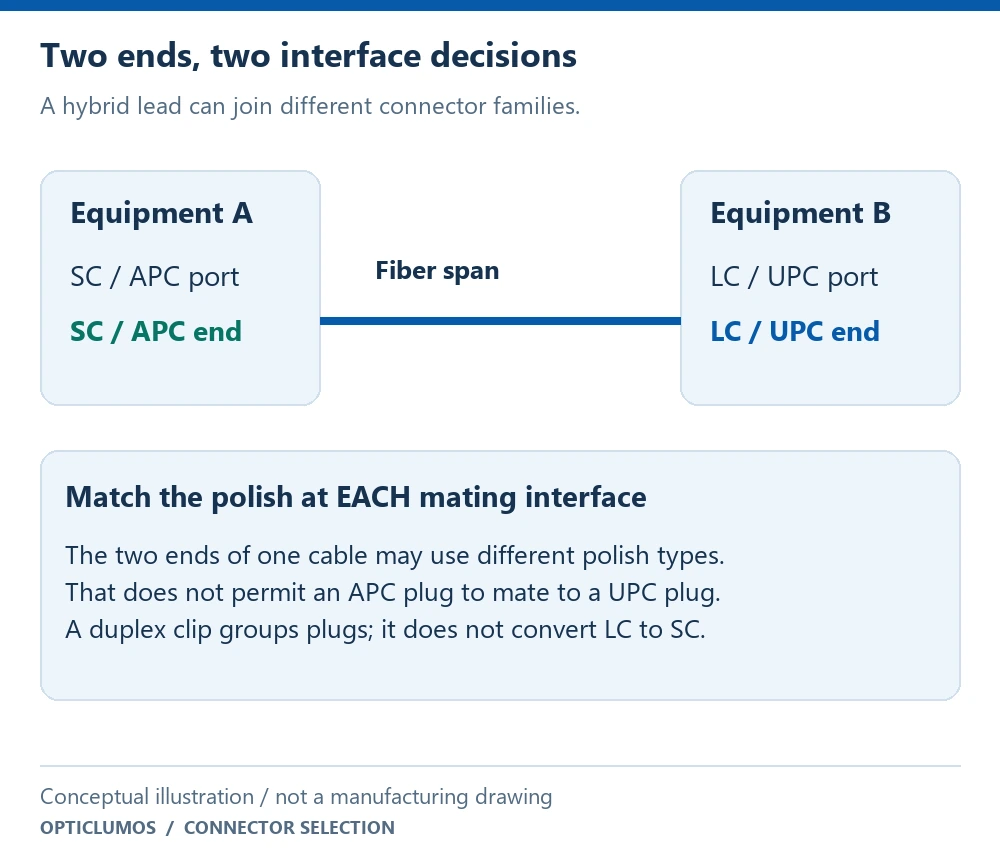
Yes, through a correctly configured optical lead or other specified interface arrangement. The two ends of the lead may use different connector families. What matters is that each end matches the equipment it mates with, and the complete optical path meets the system requirements.
What About MPO-to-LC Breakouts?
An MPO trunk carries multiple channels through a shared interface; LC fanout legs expose those channels individually. Selecting LC does not resolve MPO polarity, pinning or channel count. Keep the numbered channel map, branch lengths and duplex pairs in the same ordering drawing.
Use the MPO-to-LC breakout selection guide for the full assembly and the MPO product page for available trunk and fanout configurations.
Three Ordering Errors to Avoid
- Treating “LC” or “SC” as a complete specification. Neither states the fiber, polish or finished optical performance.
- Using a duplex clip as an optical adapter. A clip holds matching plugs together; it does not align two different ferrule sizes or change fiber type.
- Copying patch-cord loss limits onto bare connector kits. Optical acceptance belongs to the terminated and tested configuration, with its test method.
LC / SC Ordering and Acceptance Checklist
| Item | Information to supply |
|---|---|
| Interfaces | LC or SC at each end; simplex or duplex; mating port specification |
| Optical configuration | Fiber grade, core/cladding dimensions, operating wavelength and polish at each end |
| Component or assembly | Bare connector kit, duplex clip, pigtail, patch cord or multi-fiber fanout |
| Mechanical details | Cable OD, boot, jacket, length, routing limits and label map |
| Acceptance | Per-channel IL and RL limits, test wavelengths, reference method and required report |
| Quantity and approval | Sample and production quantity, interface drawing and approved configuration |
Compare the LC connector and duplex clip and SC connector and duplex clip reference models. For polish selection, read UPC vs APC fiber connectors; for measurement definitions, use insertion loss vs return loss.
Frequently Asked Questions
Is LC faster than SC?
The connector family alone does not determine data rate or reach. Those depend on the transceivers, fiber grade, channel design and optical budget. Choose the interface required by the equipment.
Can LC and SC use the same fiber?
A hybrid lead can use a continuous compatible fiber between LC and SC ends. Specify the actual fiber grade and termination requirements; the connector names do not establish compatibility.
Is an LC duplex clip a connector or an adapter?
It is a mechanical accessory that groups two suitable LC plugs. A mating adapter and the terminated plugs perform the optical connection.
Does housing color prove UPC or APC compatibility?
No. Check the port documentation, polish designation and approved connector drawing. Color can help identify a part, but it should not replace the specification.
Need the Right LC or SC Interface?
Send the two port specifications, fiber grade, cable diameter, polish, length or component quantity, and acceptance criteria for configuration review.
Request a technical quote